
Settle: Class Actions
NikanomiFinance
4.7166.00 Reviews
- Version
- 1.2.2
- Installs
- 100.00K
- Age Rating
- Everyone
Screenshots
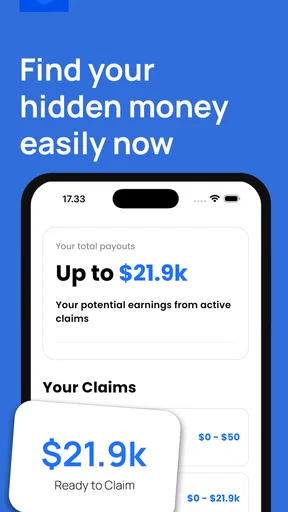
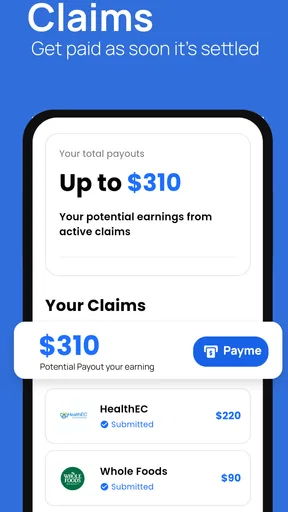
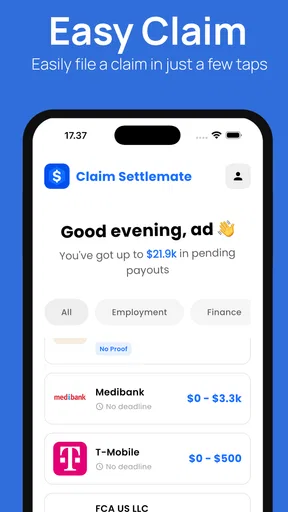
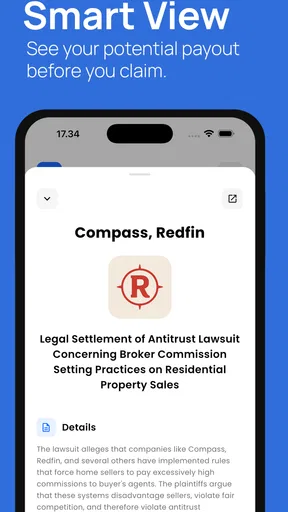
Our Review of Settle: Class Actions
 Analysis by Appyee
Money from a class action can be easy to overlook, especially when the notice arrives long after the original purchase or service. Settle: Class Actions is a free finance app from Nikanomi that aims to make that process less scattered by helping people find and claim eligible settlements. I approached it less like a bargain-hunting tool and more like a practical accessibility test: can someone with limited time, vision, dexterity, confidence with forms, or an unreliable connection actually move through the experience without unnecessary stress?
My overall impression is favorable, with an important qualification. The app is most useful when you treat it as a discovery and organization aid rather than a promise that every possible claim will appear or that every claim will be approved. Its appeal is clear for people who do not want to search the web repeatedly for settlement notices. At the same time, financial claims deserve careful reading, and a streamlined interface should not encourage anyone to submit information without checking the details.
How Settle handles readability and navigation
I find readability especially important in a claims app, where a short summary can sit beside conditions that deserve a closer look. In this section, I’ll consider how a focused search experience can help users keep their place and decide what to inspect next, while still leaving room for a careful second read. That distinction leads naturally to the practical accessibility questions that follow.
A focused starting point for settlement searches
The strongest aspect of Settle is its narrow purpose. Instead of asking me to manage a full budget, connect bank accounts, or learn a complex financial dashboard, it centers the experience on finding potential class action money and moving toward a claim. That focus can reduce the mental load for a first-time user. Someone who has never filed a settlement claim does not need to understand investment terminology or build a financial profile before getting started.
The store presents it as a finance app, but it feels closer to a guided claims directory than to a traditional money manager. That distinction matters when deciding whether it belongs on your phone. If you want expense tracking, bill reminders, credit monitoring, or a personal finance overview, this is not the right category of tool. If your specific problem is remembering to look for settlements connected to products or services you have used, the focused design makes more sense.
In my experience, a good claims workflow should make three things obvious: what the settlement concerns, who may qualify, and what action is required next. Settle is at its best when those points are presented in plain language rather than buried inside legal phrasing. Even then, I would slow down before submitting anything. A readable summary is helpful, but it is not a substitute for checking eligibility dates, purchase requirements, deadlines, or the payment method offered for a particular case.
Useful for readers who need a slower pace
People process financial information differently. Some users want to scan quickly, while others need to reread each condition or compare the wording with an email, receipt, or account record. A settlement app should support that second group instead of rewarding speed. Settle’s single-purpose approach can help because there are fewer unrelated sections competing for attention than in a broad financial platform.
My practical advice is to use it in two passes. On the first pass, identify claims that might relate to your own purchases or subscriptions. On the second, open each promising item and verify the requirements carefully. This is a more inclusive workflow for users who become overwhelmed by dense legal notices, and it also protects confident users from making a rushed claim based only on a headline.
The app has a 4.7 average from around 2.1 thousand ratings, which suggests that many people find the general experience approachable. I would not treat that number as proof that every screen works equally well for every user, but it does indicate that the concept is landing with a substantial audience. The app has passed 50 thousand installs, giving it a meaningful user base for a specialized tool.
Where navigation still needs user judgment
Settlement language is inherently complicated. Even a clean interface cannot remove the difference between being a possible class member and being entitled to a payment. That means navigation is only half the job. The other half is interpretation, and users with reading difficulties, limited English proficiency, or low confidence around legal wording may still need help from a trusted person.
A useful habit is to keep a small note beside the phone while reviewing a claim. Write down the product or service involved, the relevant time period, the proof requested, the deadline, and the expected submission method. This simple external checklist is especially helpful for users with memory difficulties or attention limitations. It also prevents several similar settlements from blending together.
Motor, sensory, and cognitive considerations
I look at accessibility as a combination of the app and the phone it runs on, rather than assuming one interface will suit everyone. The next section considers how motor, sensory, and cognitive needs can affect the small steps involved in reviewing a claim, and why adjusting the pace may matter as much as adjusting text or controls. A useful workflow should make those choices easier to manage.
Small actions can create large friction
Claim forms often involve tapping checkboxes, entering names and addresses, selecting answers, and reviewing declarations. Those actions may be straightforward for someone with steady hand control, but tiring or error-prone for a user with tremors, reduced dexterity, arthritis, or one-handed phone use. Settle’s value depends not only on finding a claim but also on completing the final steps accurately.
I would approach the app with the phone’s own accessibility tools enabled when needed. Larger system text, screen magnification, voice control, switch access, and a screen reader can make a major difference, but the result may vary depending on how each screen is built. I cannot responsibly promise that every control will behave perfectly with every assistive technology. The sensible test is to open a low-stakes page first and see whether focus moves in a logical order, labels are understandable, and buttons can be activated without precise tapping.
For users with low vision, the most important practical issue is not simply whether text can be enlarged. Enlarging text can cause wrapping, hidden buttons, or more scrolling. I would check that the full claim title remains visible, that the next action is still easy to locate, and that no important qualification is pushed out of view. If a screen becomes cramped after increasing text size, rotating the phone or using a larger device may be more comfortable than reducing the text again.
Sensory load and attention
People with migraines, hearing loss, photosensitivity, or sensory processing differences may prefer a quiet, predictable workflow. A settlement tool does not need dramatic visual effects to be useful. The best experience is one that lets the user concentrate on the claim details. I found the narrow purpose reassuring in this respect, because it does not require the constant monitoring associated with trading or live financial dashboards.
Users who are sensitive to interruptions should choose a deliberate review time rather than beginning a claim while commuting, caring for a child, or switching between tasks. A realistic scenario is someone remembering an old subscription after seeing a settlement that might relate to it. They open the app during a lunch break, save the promising item mentally, then return later with the relevant account history. That pause is not wasted time; it is a safeguard against submitting an incomplete or mistaken claim.
For users with attention or executive-function challenges, the most helpful strategy is to handle one settlement at a time. Do not open several possible claims and assume they all share the same rules. Check the name, eligibility, deadline, and requested evidence before moving on. This turns an open-ended search into a sequence of small decisions, which is easier to manage than trying to remember every condition at once.
Support for different confidence levels
Settle may be particularly approachable for people who have never searched for a class action settlement before. The idea of finding money connected to an old purchase can sound simple, but the legal process often makes newcomers hesitate. A focused app can lower that first barrier by giving the task a familiar mobile shape.
Still, confidence should not be confused with understanding. If a user is unsure whether a purchase qualifies, has difficulty reading a declaration, or does not understand why personal information is requested, the right response is to pause and seek clarification. A family member, advocate, or trusted adviser can help read the terms, but should not pressure the user into sharing sensitive details. This is one area where a conventional browser search may be better: it makes it easier to compare the official settlement notice with the app’s presentation before deciding.
Access in everyday situations
Everyday access is often about timing and context: a person may remember a purchase while away from home, or have only a short window to investigate it. I’ll focus on how those situations shape the value of a phone-based claims tool, including when it is sensible to pause and return with records at hand. From there, the remaining barriers become easier to weigh realistically.
When the app is a practical fit
Settle makes the most sense for people who have scattered records and little patience for repeated searches. Imagine discovering a settlement while sorting through old email receipts. You may remember using the service but not the exact dates, and the original notice may be difficult to find. The app can give you a place to investigate the possibility without rebuilding your entire financial history.
It can also suit users who prefer a phone-based workflow over desktop browsing. A smartphone is often the device people have nearby when they recall an old purchase. That convenience matters for users who cannot easily sit at a computer, who share a household device, or who need to work in short sessions. The free entry point also makes it easier to try the service before deciding whether it fits your habits, although optional purchases are listed from $4.99 to $59.99 per item, so I would review any payment prompt carefully before continuing.
The age rating is Everyone, which matches the general subject matter: the app is aimed at ordinary consumers rather than a specialist professional audience. That does not mean every claim is suitable for a child to handle independently. Financial forms and personal information still call for adult guidance, particularly when a young person is using a shared device or someone else’s account.
Situations where another method is stronger
Settle is not a replacement for official settlement websites, notices from a claims administrator, or records from the company involved. If a claim has unusual documentation requirements, a complicated identity check, or a dispute about eligibility, I would compare the app’s information with the official source and complete the process through whichever route gives the clearest instructions.
A browser is also preferable when you need to keep several documents open side by side. Desktop users can compare receipts, account statements, and settlement terms more comfortably than someone working on a small phone screen. Likewise, users who already have a trusted system for tracking legal notices may gain little from adding another app. The benefit here is convenience and discovery, not universal superiority.
People with limited connectivity should plan around the parts of the process that require a stable connection. A claim can be time-sensitive, and repeatedly losing access while entering information is frustrating. If your internet service is unreliable, gather the necessary details first and use the app when you have a dependable connection. For users who rely on public or shared Wi-Fi, avoid exposing private information where others can easily see the screen.
Privacy-aware habits matter
Any app connected with financial claims deserves a cautious routine. I would avoid entering information merely because a settlement sounds familiar. First confirm why the information is needed, whether the request matches the claim, and whether you are using the correct claimant details. Never let the convenience of a short form replace basic verification.
Shared phones create another accessibility and privacy issue. A user may need help from a caregiver or family member, but that person should not automatically gain access to unrelated accounts, messages, or saved information. If assistance is necessary, work together while the owner of the information remains in control. This is especially important for older adults and people who use supported decision-making.
Remaining barriers and the trade-offs I noticed
I see the main trade-off as convenience versus the care required by financial and legal details. The closing section considers why a simpler route into a claim can still leave users responsible for checking eligibility, handling personal information thoughtfully, and choosing another method when it offers clearer evidence or a better workspace. Taking that extra moment is part of using the app well.
A specialized app cannot eliminate legal complexity
The central limitation is built into the subject itself. Class action settlements vary, and eligibility can depend on details that are easy to overlook. A polished search experience may make the first step feel simple, but the final decision still belongs to the user. This creates a trade-off: Settle can reduce the effort of discovering possibilities, yet it may encourage overconfidence if someone treats every result as guaranteed money.
I would also avoid judging the app solely by how many claims appear during one visit. Results can depend on what is currently relevant to the user and how closely a settlement matches their history. A quiet session does not necessarily mean the app is broken, just as a long list does not mean every item is worth pursuing. The useful measure is whether the app helps you identify relevant opportunities without wasting more time than the potential claim justifies.
Another barrier is the emotional cost of uncertainty. Users who have experienced financial stress may feel pressure to claim anything that looks promising. The app should be used as a calm checklist, not as an emergency income source. If a claim asks for information you do not understand or presents conditions you cannot verify, stopping is a reasonable outcome.
Cost and version considerations
The app is free to download, and its current version is 1.2.2. Optional in-app purchases range from $4.99 to $59.99 per item. That pricing detail changes how I would recommend using it: begin with the free experience, understand what is included, and do not assume that paying will make a claim valid or guarantee a payout. Any paid feature should be judged against the value of the time saved, not against the amount a settlement might eventually provide.
It supports Android 7.0 and later, which gives it a relatively broad reach for people using older phones. That is helpful for users who cannot upgrade hardware easily. However, an older operating system can still affect performance, text rendering, or compatibility with modern accessibility services. If the experience feels cramped or unreliable on an older device, a newer browser or another device may offer a better route than forcing the app to do everything.
Nikanomi has kept the product focused rather than turning it into a general-purpose finance suite. I see that as both its identity and its boundary. Users who want a single place for budgets, investments, credit, and settlement searches should look elsewhere. Users who want less clutter and a narrow task may appreciate the restraint.
My inclusive verdict
I would recommend Settle: Class Actions to someone who regularly misses settlement notices, prefers a phone-first experience, or wants a simpler starting point than searching the web from scratch. Its free access, focused purpose, Everyone rating, and support for Android devices from version 7.0 make it approachable for a broad audience. The app has also attracted around 116 written reviews alongside its wider rating base, which gives prospective users more public feedback to consider.
My recommendation comes with a clear condition: use it slowly and verify every claim. For people with low vision, motor limitations, reading difficulties, attention challenges, or limited technical confidence, the best results will come from combining the app with device accessibility settings and a written checklist. Ask for help when legal wording or information requests are unclear, and keep control of personal details even when someone else is assisting.
I would skip it if you already have a reliable settlement-tracking routine, need a full personal finance manager, or expect guaranteed payments from a quick search. I would also choose an official website or desktop browser when a claim requires extensive document comparison. In those cases, the app’s convenience is less valuable than a larger workspace and direct source material.
For everyone else, Settle is a sensible tool for turning a vague thought—“I might qualify for something”—into a structured review. Its real strength is reducing the effort of looking, not removing the responsibility of checking. Used with that distinction in mind, it can make an overlooked financial task more manageable without pretending that accessibility, legal clarity, or eligibility can be solved by a single tap.
Privacy and Permissions
See what permissions an app requests and how it handles your data.
- Other
- view network connections, full network access, run at startup, control vibration, prevent device from sleeping, Google Play license check
Verdict
Strengths of Settle: Class Actions
- Tracks eligible class actions in one convenient place.
- Clear case details help users understand potential settlements.
- Simple claim-filing guidance reduces paperwork confusion.
- Useful notifications can help prevent missed deadlines.
- Free to download and easy for non-experts to navigate.
Limitations of Settle: Class Actions
- Eligibility varies by location and settlement requirements.
- Payments are not guaranteed, even after submitting a claim.
- Some cases may offer only small compensation amounts.
- Notifications may become frequent as new cases are added.
- Requires personal information when filing certain claims.
Similar Picks in This Category
View All
Google Wallet
Google LLC4.3

Airtel: Recharge, Bank & Loans
Airtel4.0

PayPal - Pay, Send, Save
PayPal Mobile4.2

DANA Indonesia Digital Wallet
PT Espay Debit Indonesia Koe4.5

Binance: Buy Bitcoin & Crypto
Binance Inc.4.8

Cash App
Block, Inc.4.7
Frequently Asked Questions
What is Settle: Class Actions, and how does the app work?
Settle: Class Actions is designed to help users discover and manage potential class-action settlement claims. After creating an account, you can browse available settlements, review eligibility requirements, see important deadlines, and submit claims when applicable. The app organizes settlement information in one place, but you should always read the official notice and settlement terms carefully before submitting any personal information or claim.
Can I use Settle: Class Actions to find settlements I may qualify for?
Yes, the app can help you identify class-action settlements that may be relevant to you. Eligibility usually depends on details such as where you live, when you purchased or used a product, and whether you belong to the defined class. Settle can simplify the discovery process, but it cannot guarantee eligibility or payment. The final decision is made according to the official settlement rules.
Does Settle: Class Actions charge fees for submitting claims?
The app is generally intended to make settlement discovery and claim submission easier without requiring users to pay an upfront fee for every claim. However, terms can vary depending on the settlement and the services offered. Before completing a submission, review any displayed conditions, privacy information, or service charges. Be cautious of anyone requesting unnecessary payment or sensitive financial details to release a settlement.
Is my personal information safe when I use Settle: Class Actions?
Using a settlement service may require information such as your name, email address, mailing details, purchase history, or other eligibility evidence. Before registering, review the app’s privacy policy to understand what data is collected, how it is used, and whether it is shared with claim administrators or service providers. Only provide information required for a legitimate claim, and avoid submitting confidential data through unofficial links.
Will Settle: Class Actions guarantee that I receive money from a settlement?
No. Finding or submitting a claim through Settle does not guarantee approval or payment. Settlement funds may be limited, and the final amount can depend on the number of valid claims, the settlement formula, administrative costs, and court approval. Claims may also be rejected if they are late, incomplete, or do not meet the eligibility requirements. Always check deadlines and retain confirmation of your submission.
